How Can SMS and CRM Integration Supercharge Your Business?
SMS-CRM integration is the best method to maximize the efficiency of your customer management process. Learn everything about SMS integrations with CRM.
Do you use SMS integrations with CRM?
As a business, you’re probably using a CRM platform to manage your interactions with your customers. Of course, you can’t rely solely on CRM for all of your communication requirements.
To reach higher engagement rates and have instant communication with your customers, you need to use other communication channels along with a CRM platform.
SMS-CRM integration is one of the best solutions for this problem. In this blog post, we’ll discuss the benefits of SMS integrations with CRM and introduce the best commercial options like WSMS in this regard.
Why Integrate SMS with CRM?
First, let’s review the benefits of integrating SMS and CRM systems:
1. Improving Communication Efficiency
SMS allows you to instantly reach your customers. When you integrate SMS with your CRM, you can communicate with your audience directly from your CRM dashboard. For example, you can:
- Automate messages
- Schedule reminders
- Manage conversations
This way, you don’t need to switch between various platforms, and as a result, you’ll reach higher efficiency in your communication. Also, the risk of errors and the required time and effort will decrease and your workflow will be optimized.
2. Higher Engagement Rates
Despite other channels like social media and emails, SMS is accessible to almost everyone. Also, the majority of people open their incoming messages within 3 minutes.
So you can be sure that your clients will receive and engage with your message. If you add the power of your CRM data to SMS marketing platforms, you’ll find the chance to personalize your messages. In other words, you can automatically send relevant text messages to everyone.
For example, you can send:
- Follow-up messages
- Surveys
- Thank-you notes
These personalized messages will increase engagement rates and customer satisfaction.
3. Centralized Customer Management
When you integrate SMS with CRM, you will actually combine two channels in a single dashboard. This way, you can have better control over your customer management because all the communications are centered there.
No matter if your customer responds to text messages or opens a new ticket on CRM, your team can easily manage both and provide a better customer experience.
4. Improved Lead Conversion
SMS integrations with CRM can significantly help your marketing campaigns and sales efforts.
SMS integration lets your sales team respond instantly and guide leads through the sales funnel.
Also, CRM data helps you laser-target your audience and offer products/services according to each customer’s details.
Therefore, you can expect a better lead conversion and a boost in your sales because your SMS marketing campaign will be powered by CRM data.
CRM with Text Messaging vs CRM-SMS Integration
Now, let’s review the pros and cons of CRM-SMS integration compared with CRM platforms that have text messaging.
| Category | CRMs with Built-In Text Messaging | CRMs with SMS Integrations |
|---|---|---|
| Pros | Fully integrated experience. | Greater flexibility to choose from various SMS tools. |
| Easier to set up, no external tools needed. | Advanced features available with SMS platforms. | |
| Unified tracking and reporting within the CRM. | Scalable for high-volume messaging needs. | |
| Often more cost-effective for smaller-scale usage. | Customizable workflows via APIs or middleware tools. | |
| Cons | Limited to the built-in features, less customizable. | Requires technical setup and integration efforts. |
| Not suitable for enterprise-scale messaging. | Higher cost due to separate SMS tool subscriptions. | |
| SMS functionality may have additional fees. | Some CRMs might not integrate with external SMS tools. |
Overall, CRM-SMS integrations are suitable for large-scale campaigns with bulk messaging. On the other hand, if you want to have a simple messaging experience, you can go for CRMs with built-in messaging capabilities.
What Should An SMS CRM Integration Offer?
Now, let’s see what features you can expect from an SMS CRM integration.
1. Two-Way Messaging
You need to look for an SMS-CRM integration that offers two-way messaging. In other words, you should allow your customers to have a real-time conversation and respond to your text messages. Two-way messaging is vital for:
- Resolving customer inquiries.
- Confirming appointments.
- Collecting feedback.
- Rescheduling.
- Reminders.
2. Automation Capabilities
Automation is essential in today’s customer management and communication. It saves time and reduces the risk of errors.
So look for CRM-SMS integrations that allow you to automate tasks such as sending welcome messages, reminders, follow-ups, or confirmations.
This way, you don’t need any employees for these kinds of communications. You can easily define a trigger so that the SMS platform automatically sends the message after the trigger is activated. The result is timely and efficient delivery without manual intervention.
3. Personalization Options
As said earlier, personalization drives higher engagement. Choose an SMS-CRM integration that offers systematic personalization.
This means, you just need to create an SMS template for each specific task. Then the platform will fill in important items like names, dates, and products, according to the specific details of each customer.
4. Message Scheduling
It’s so important to send your messages, especially promotional ones, timely. Otherwise, your customers might get annoyed and unsubscribe.
Scheduling features of SMS-CRM integrations help you solve this problem. You just need to determine the time for sending the message.
5. Compliance and Opt-In Management
When you run SMS campaigns, you have to comply with strict regulations, such as GDPR, TCPA, and CAN-SPAM.
One important aspect of these regulations is to get consent from your subscribers. Otherwise, you might face being blocked or spammed.
Moreover, you need to provide an easy way for unsubscription so that your recipients can opt out when necessary.
6. Multi-Channel Integration
Although SMS is a great communication tool, it’s not complete. For maximum efficiency, you need to choose a platform that integrates well with other channels like social media and email. This way, you can manage all of your tasks using a single dashboard without using other platforms.
7. Scalability
You have to choose a platform that supports campaigns of all sizes. If you think your business might grow, go for scalable and international SMS-CRM integrations.
Top Solutions for SMS Integrations with CRM
Here are the best SMS-CRM integration solutions you can choose for your business:
1. WSMS Fluent Integrations
WSMS Fluent Integrations is a powerful solution that is specifically designed for businesses that have a WordPress website.
FluentCRM is one of the best CRM and email marketing plugins for WordPress websites. The plugin has a user-friendly interface along with lots of advanced features.
On the other hand, WSMS is a versatile SMS platform that offers numerous features for SMS marketing campaigns, notifications, reminders, and confirmations.
The WSMS - FluentCRM integration offers instant SMS communication directly from your WordPress dashboard.
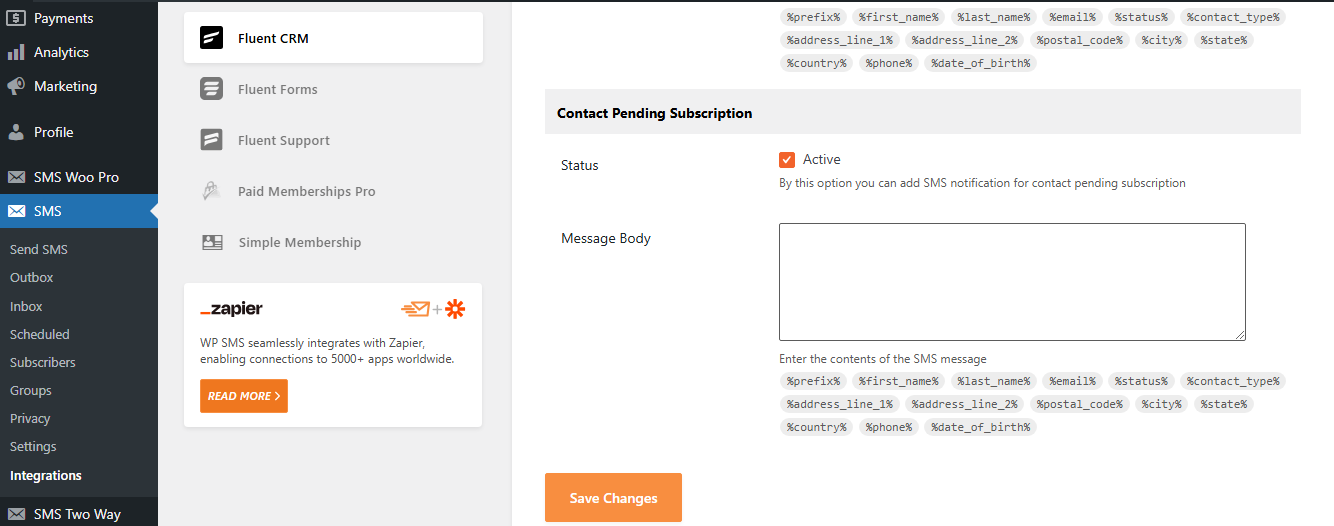
This integration allows your business to send automated messages, manage customer interactions, and personalize outreach directly through FluentCRM.
The good news is that WSMS offers a free plan for basic needs like:
- Send SMS/MMS
- SMS Newsletter & Subscribers
- WordPress Notifications
- Webhooks
- GDPR Compliance
- REST API
- Automatic Update
- Message Button
Of course, you need to pay $14 per year for FluentCRM integration which is definitely worth trying considering the services.
Take a look at the pros and cons of this integration to know its benefits better:
Pros of WSMS FluentCRM Integration
- If you have a WordPress website and don’t want to switch between platforms, WSMS integration with FluentCRM is the best choice for you.
- It supports automated SMS for e-commerce stores, bookings, or events.
- This is a cost-effective solution with lots of other flexible integration options.
- Easy setup with a plugin-based system.
Cons of WSMS FluentCRM Integration
- Limited to WordPress environments.
- Requires third-party SMS providers like Twilio for functionality.
2. HubSpot CRM
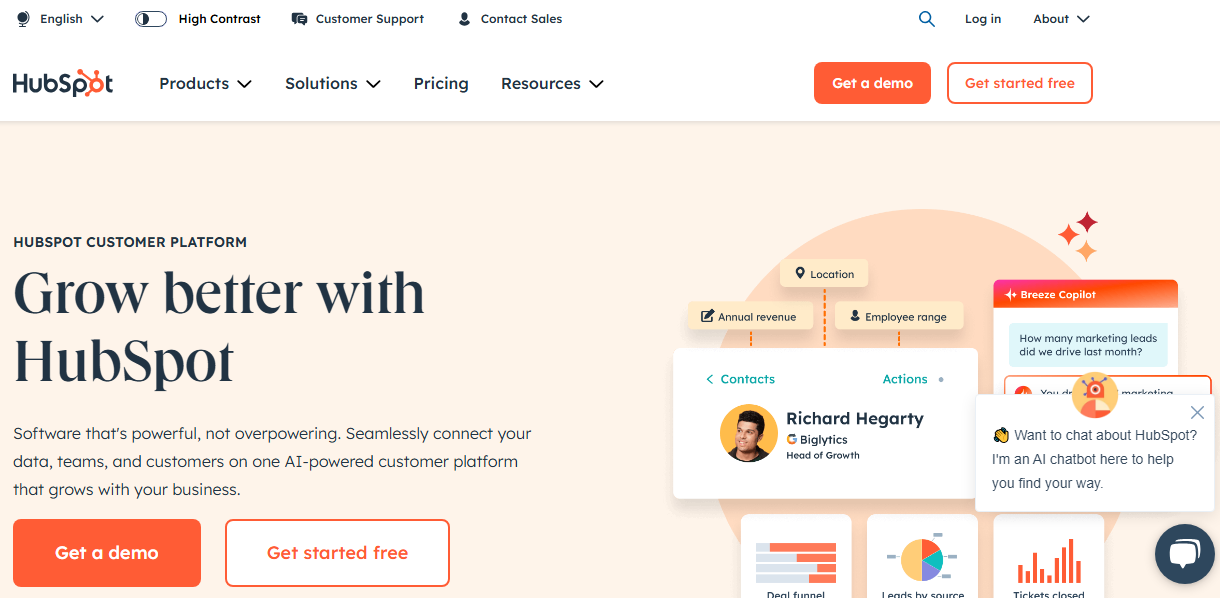
Hubspot is a renowned brand in the realm of digital marketing. It also offers a great CRM service that has free tools for everyone on your team.
Hubspot claims that its CRM service is 100% free. Also, it offers a great SMS marketing option, making it a versatile solution for CRM-SMS integration.
It offers the following features:
- Manage customer data.
- Simplify the sales process.
- Automated SMS Workflows.
- Personalization tokens to customize messages.
- Tracking activities and leads.
- Sharing data between sales, marketing, and service teams.
- Track and report on key business insights.
Here is a summary of the pros and cons of Hubspot solution for SMS CRM integration:
Pros of Hubspot CRM SMS Solution
- You don’t need two platforms for SMS and CRM.
- It has great efficiency in the SMS workflow.
- Hubspot lets you track delivery rates, open rates, click-through rates, and conversions to measure campaign effectiveness.
Cons of Hubspot CRM SMS Solution
- To use SMS features, you need to purchase an SMS Access add-on.
- Some advanced SMS features, such as sending MMS or creating complex automated sequences, are not supported.
3. Zoho CRM
Zoho is a famous brand that offers tens of online solutions including a cloud-based platform like Google and also a great CRM-messaging integration.
Zoho CRM has built-in SMS capabilities like the Notification SMS feature. It lets you send transactional SMS messages directly from the platform.
Here are some features offered by Zoho CRM SMS integration:
- Mass messaging in multiple countries.
- Customizable workflows and templates.
- AI-powered tools for sales predictions.
Pros of CRM SMS Integration of Zoho
- Affordable pricing plans.
- Diverse features for small to large businesses.
- Customizable for industry-specific requirements.
- Great automation tools and integrations.
Cons of SMS CRM Integration offered by Zoho
- SMS functionality is limited.
- Two-way texting is geographically restricted to Canada and the U.S.
- The learning curve for advanced features.
4. Sending SMS from Salesforce
Salesforce is a great CRM tool that offers lots of features including a built-in messaging service.
When working with this CRM platform, you’ll get:
- Reports and dashboards
- Workflow and approvals automation
- Opportunity management
- Sales forecasting
- Collaboration tools
- Contact management
- Integration
- Campaign management
- Customer relationship management
Let’s get familiar with its pros and cons:
Pros of Salesforce’s Built-In SMS Feature
- Salesforce CRM integrates SMS into workflows and customer journeys.
- You can enhance customer engagement with real-time responses directly within Salesforce.
- It’s suitable for both small teams and enterprise-level operations.
- Advanced customization options.
- It offers detailed insights into your campaign performance and lets you make data-driven decisions.
Cons of the Texting Feature of Salesforce
- SMS features and third-party integrations can be costly.
- Advanced configurations and workflows require technical expertise and additional support.
- Some advanced SMS features might require third-party tools.
Final Thoughts
CRM platforms are great for managing your interactions with your customers but they can’t offer some features like instant communication. Fortunately, there is a solution to this problem.
Using SMS along with CRMs can improve your relationship with your customers and optimize your communication procedures.
Platforms like WSMS offer SMS integrations with CRM to allow businesses to send notifications, confirmations, reminders, and promotional messages to clients. Integrating the features of CRMs and SMS platforms will boost your sales and improve your customer experience.
So why wait? Try the demo version of WSMS and try its integration with FluentCRM to see if it fits your requirements.
FAQs
Can CRM send SMS?
Yes, many CRMs can send SMS. This can be done either through built-in features or by integrating with SMS providers.
What is the best SMS integration with CRMs?
WSMS offers the best integration with FluentCRM and lets you manage your communication directly from your WordPress website.
Is Twilio a CRM tool?
No, Twilio is not a CRM. It is a cloud communications platform and a renowned SMS gateway. Twilio offers SMS, voice, and messaging services that can be integrated into CRM platforms.
Does Salesforce integrate with SMS?
Yes, Salesforce can integrate with some SMS providers. 360 SMS is the best built-in SMS app for Salesforce.
How do you integrate SMS?
First, you need to choose your SMS gateway (like Twilio) then, choose your SMS platform like WSMS, and integrate it with the CRM tool.