How to Use SMS Reminders to Reduce Missed Appointments
WSMS is the best SMS reminder service you can use. Learn how to use it to send SMS reminders to reduce no-shows and enhance customer experience.
Take advantage of SMS reminders to improve engagement and boost your sales.
Many times, you need to remind your customer of an important item like an appointment, a payment, or an event. The problem is that if you want to use traditional methods like calls, you have to spend a lot of time and money. So what’s the best method to do that?
Fortunately, automated SMS reminders have solved this problem. SMS platforms like WSMS can help you send personalized and automated SMS reminders to reduce no-shows and enhance customer experience.
Read the following blog post to learn how to use SMS reminders, and contact us if you need more information.
Why Should You Send Reminders to Your Customers?
First, let’s see why you need to go for a reminder system. Here are the most important benefits of sending reminders to your customers:
-
Reduce No-Shows: When you send a reminder before the appointment, the probability of no-shows will significantly decrease. This will help boost your revenue.
-
Enhance Customer Experience: Timely notifications show that you value customers’ time. This way, you can gain the trust of customers and increase your customer satisfaction and loyalty.
-
Encourage Timely Payments: A great method to ensure you’ll receive your money on time is by sending payment reminders. This will improve the cash flow of your business.
-
Outperform Competitors: SMS reminders are a fantastic way to make your services outstanding compared with competitors.
Advantages of SMS Over Other Channels
Now, it’s good to see why SMS is the best communication channel for sending reminders. In fact, other channels like emails or social media chats can also be used for reminders and notifications, but SMS reminders have some advantages, like:
-
High Open Rates: People read the majority of text messages, but they don’t open many of their emails.
-
Fast: SMS has an immediate nature, and many people read their messages within minutes of receiving them. On the other hand, they might check their emails on every occasion.
-
Wide Reach: Almost all people use SMS because it’s accessible from anywhere without an internet connection or smartphone.
-
Automation-Friendly: You can easily automate SMS reminders using simple tools.
Top Industries That Rely on SMS Reminders
Here is the list of industries that use SMS reminders to reduce no-shows and keep customers informed:
-
Healthcare & Medical Practices: Doctors, dentists, therapists, and other healthcare professionals use SMS reminders. This way, the number of missed appointments will decrease.
-
Salons, Beauty, and Fitness Centers: SMS reminders can greatly help salons, spas, and fitness centers with booking confirmations and upcoming appointments.
-
Education & Tutoring: Educational institutions use SMS reminders to notify students about classes, exams, or events.
-
Retail & E-commerce: If you have an ecommerce business, you can use SMS reminders to send delivery updates, promotional reminders, or special sales events.
-
Hospitality & Travel: Hotels, airlines, and travel agencies need SMS reminders for emergencies, reservations, flight updates, or check-in times.
-
Nonprofits & Community Services: Nonprofit organizations use SMS to remind subscribers about events, volunteer schedules, or donation drives.
Tips for Reducing No-Shows Using SMS Reminders
Now, let’s see how you can improve the performance of your SMS reminder strategy.
Select An Automated SMS Platform
First and foremost, you have to use an effective SMS tool that allows you to automate your SMS reminders.
Even if you have a small business, you can’t manage all the SMS reminders manually because it’s costly, time-consuming, and requires employees.
So the most important aspect of a good SMS tool is automation. Here are some other features you need to look for when choosing an SMS tool:
-
Two-way messaging: This allows your customers to reply, reschedule, confirm, etc. These interactions are really essential in SMS reminders.
-
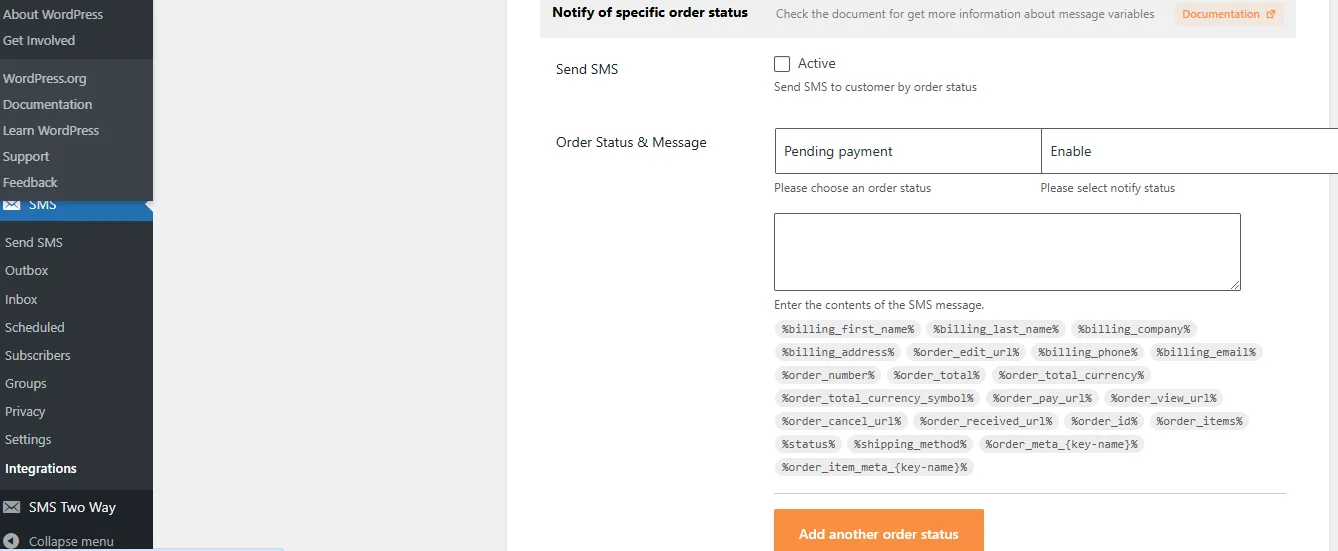
Dynamic content: This feature allows you to create a template with some variables like names, dates, products, etc. So you can customize the SMS reminders for each subscriber and automatically include their personal details.
-
Scheduling & Repeat: The tool should allow you to set a time for your SMS to be sent later.
-
Integrations: Integrating with other platforms like WooCommerce, GravityForms, BuddyPress, and Zapier to send reminders without switching between tools.
WSMS is one of the best SMS tools that provides these features and supports more than 300 SMS gateways on WordPress websites. Offers advanced features with affordable pricing packages, along with a free plan for basic requirements.
Create Well-Structured SMS Templates for Different Reminders
After choosing the SMS tool, you have to think of the content of your reminders. It’s recommended to prepare your SMS structure and define the triggers so that the tool sends the reminder automatically.
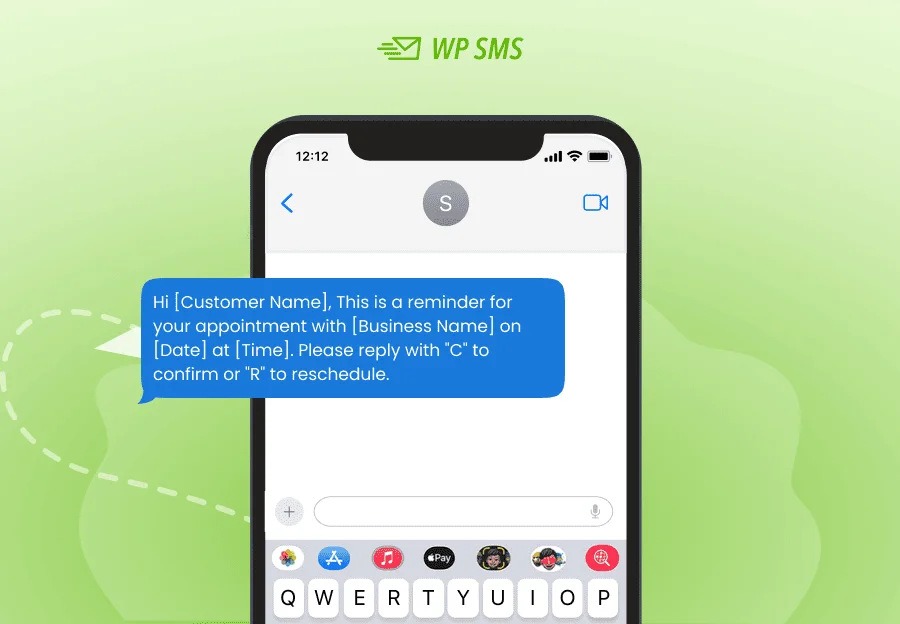
Here are two SMS templates for different purposes:
Appointment Reminder
Payment Due Reminder
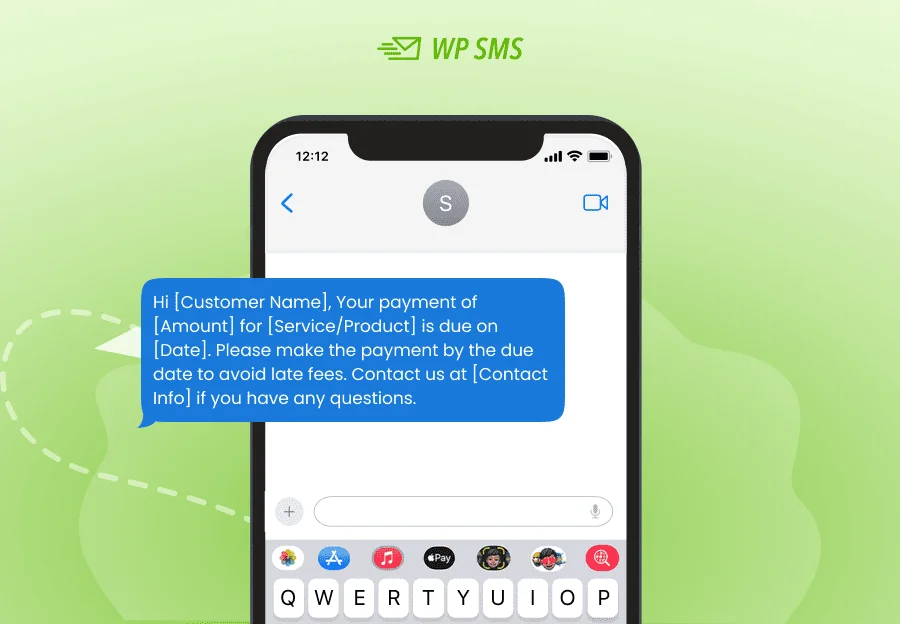
As you see, the SMS templates include some items that can be changed for each recipient. WSMS tool will perfectly do that for you using the dynamic content feature.
Remember that you don’t have much space in an SMS, so you have to optimize your message length.
You need to include all the essential details without writing extra words. To do that, you have to focus on a single goal.
Here are parts of a typical SMS reminder:
- Greeting/personalization
- Purpose
- Details: Date, Time, and Location
- Action Required
- Contact Information
- Confirmation or Response Option
- Brand Identification
- Optional Links or Instructions
Of course, you can change the items depending on the situation.
Use Two-Way Messaging
Try to use the two-way messaging feature of WSMS to make your audience interact with your reminder.
Of course, you can offer options like links, but direct interactions within the SMS are much easier for your recipients.
Two-way messaging allows you to offer this option. For example, you can ask your audience to confirm their appointment by sending YES or NO.
Schedule Your Messages
Think about the time you want to send your reminders. If you send your messages at inconvenient times, like late at night, your customers will get annoyed.
You need to send your reminders at the best time when your audience is highly likely to interact.
The following table includes some recommended times for sending reminders in different situations:
| Reminder Type | Best Time and Reason |
|---|---|
| 24-Hour Advance Reminder | 10:00 AM - 2:00 PM, 1 day prior for adequate notice. |
| Same-Day Reminder | 2-4 hours before the appointment for a timely nudge. |
| Event Reminders | 24 hours and 2-3 hours before keeping the event top-of-mind. |
| Payment Reminders | 10:00 AM - 12:00 PM; 1:00 PM - 3:00 PM for alert recipients. |
| Healthcare Appointments | 10:00 AM (1 day before); 8:00 AM or 2:00 PM (same day) |
| Travel Reminders | 12-24 hours before check-in time for timely arrival. |
WSMS lets you schedule your SMS to be sent at the determined time.
Examples of Automated SMS Reminders
Look at the following SMS reminder samples and get ideas to use in your SMS campaigns:
Appointment Confirmation Reminders
You need to inform your patient about their appointment. For example, if you have an online appointment service for your dental clinic, you can send an SMS confirmation like the following:
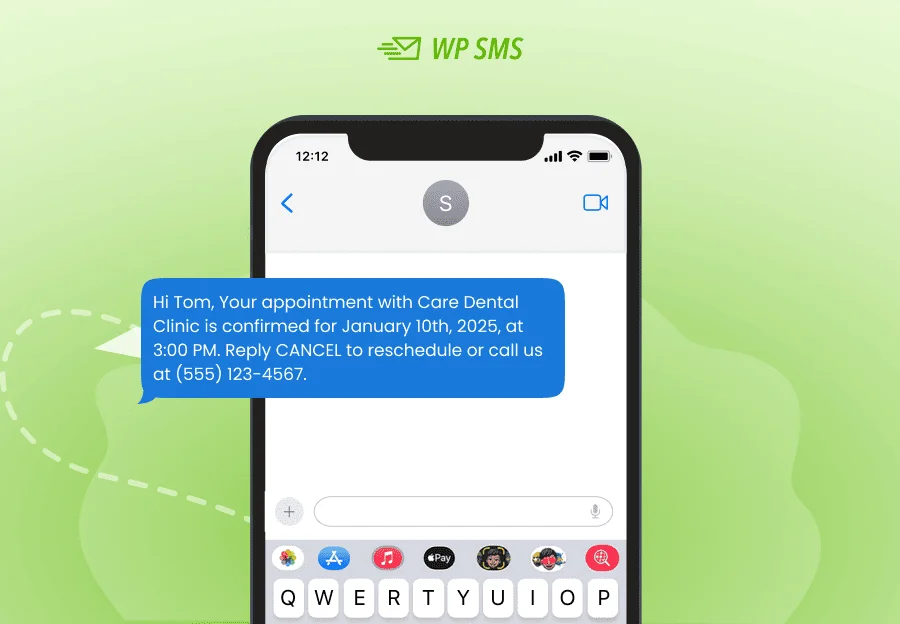
This way, your audience can be sure that the appointment is final. This is also a great document that they can see if they forget the time and other details.
Upcoming Appointment Reminders
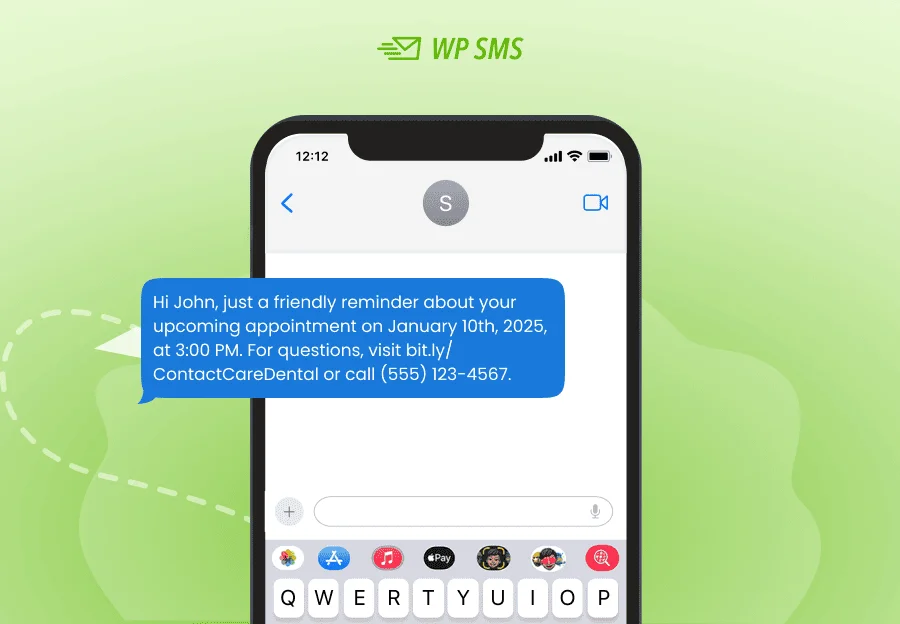
Many times, your customers will forget their appointments. SMS reminders like the following are the best methods to prevent that:
Follow-Up Notifications
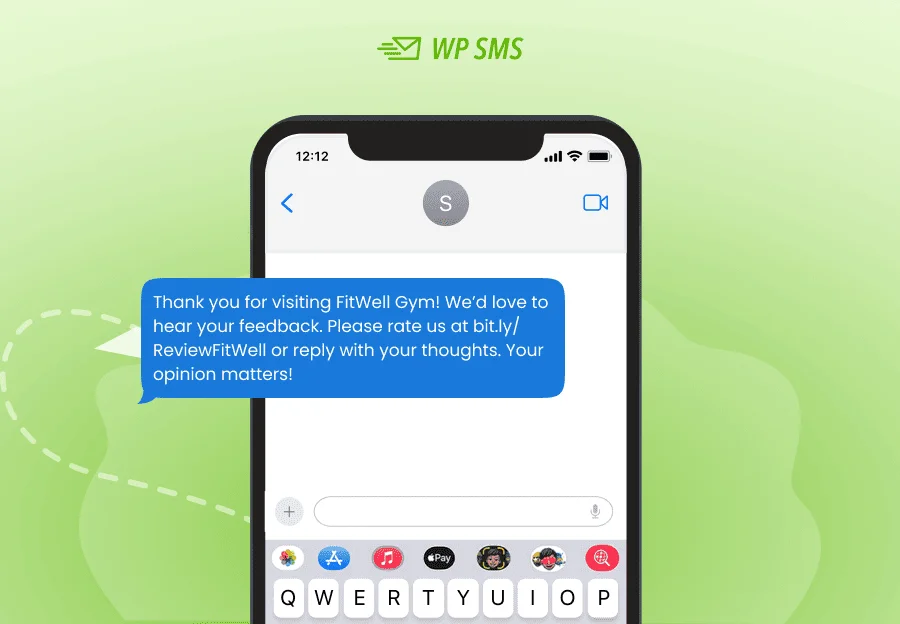
Follow-ups are also useful as they make your audience feel valued. Look at the following sample to see how you can get feedback after an appointment:
Recurring Appointment Reminders
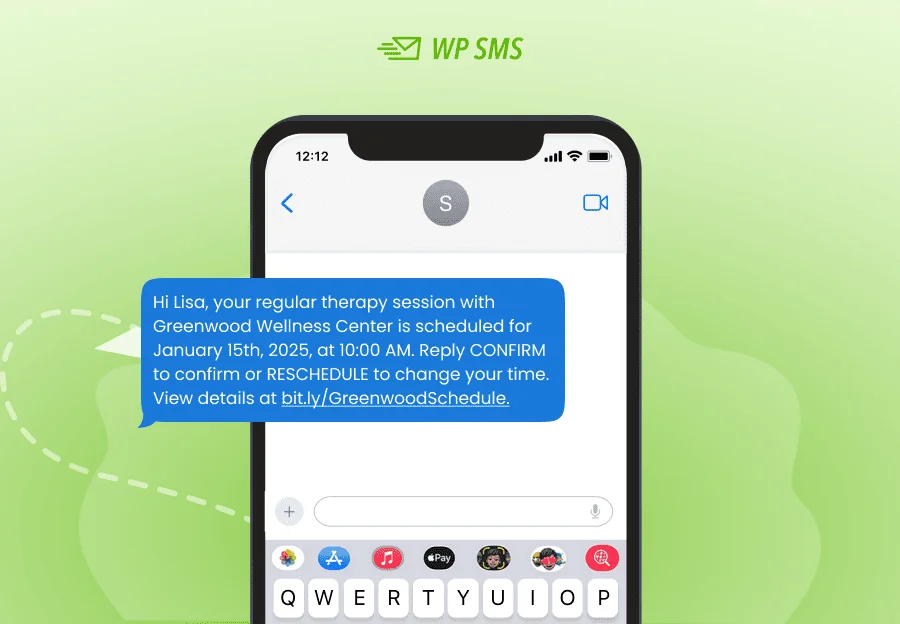
Sometimes you need to send a repeating SMS reminder to your regular customers. The following SMS template shows how to do that:
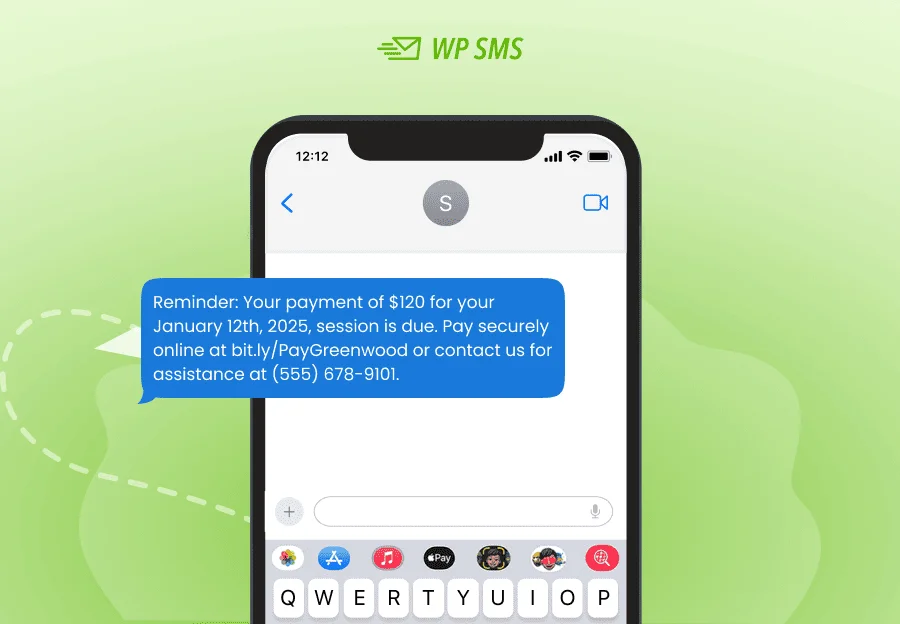
Payment or Preparation Reminders
Payment reminders are among the most common messages businesses send to their customers. Here is a sample SMS reminder to notify your customer of their upcoming payment:
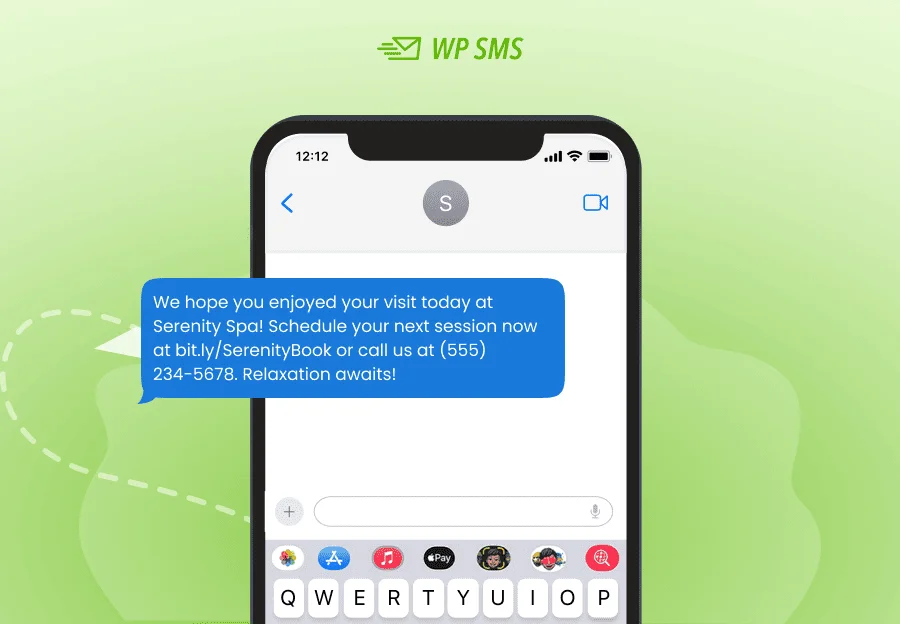
Post-Appointment Follow-Ups
You can also use SMS reminders to encourage customers to attend the next session. The message below shows how to make them schedule the next appointment:
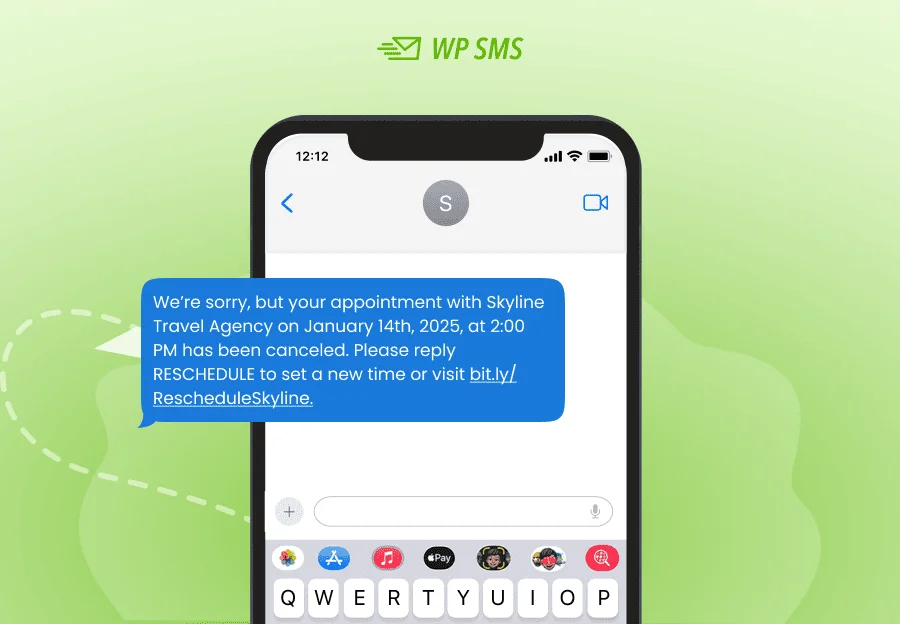
Cancellation or Reschedule Notices
You need to be ready for emergencies. You can use the following SMS sample to send when you want to cancel or reschedule an appointment:
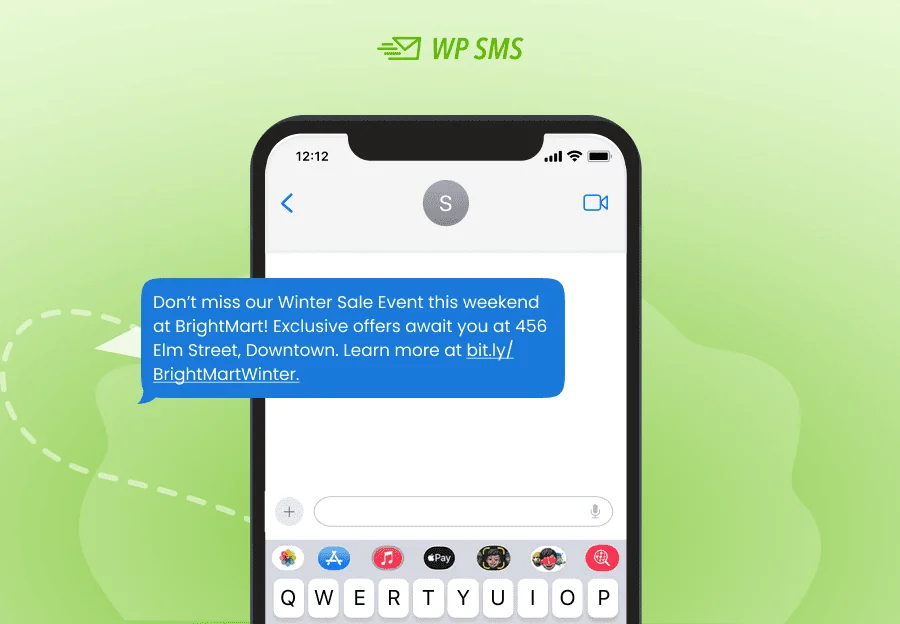
Event or Seasonal Reminders
Events and seasonal campaigns can greatly benefit from SMS reminders. Try to prepare SMS templates like the sample below to run an event marketing campaign:
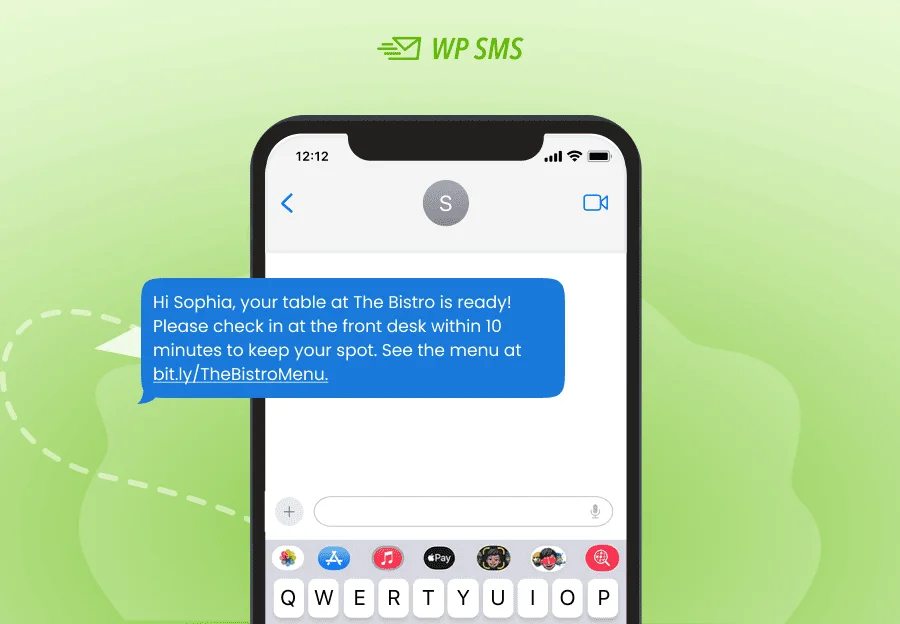
Check-In or Waitlist Notifications
Many times, you have a waitlist reservation, and you need to remind subscribers of their turn. The following SMS template is a typical waitlist reminder:
Conclusion
SMS appointment reminders are simple but effective messages with several advantages. You can keep your customers informed of important deadlines and build a great customer experience.
Also, they decrease no-shows and help you reach maximum revenue. Using automated SMS reminders, you can easily send notifications with minimal manual effort.
SMS tools like WSMS help you create SMS reminder templates with dynamic content to personalize your messages.
You can easily define triggers to send reminders to your subscribers at an affordable cost. So try the demo version of WSMS to see how it can help your business.
FAQs
What are SMS reminders?
SMS reminders are text messages that you send to your subscribers to inform them about an upcoming appointment, event, payment, etc.
What are the benefits of SMS reminders?
SMS reminders will reduce your no-shows and missed appointments. Also, it shows that your customers are important to your business, and this will lead to better customer loyalty.
How to send a reminder SMS?
The best method is to use WSMS to automate your SMS reminders. This tool offers lots of features, including dynamic content that allows you to customize your reminders according to each subscriber’s details.
What industries use SMS reminders?
Almost all businesses can use SMS reminders, but some of them can greatly benefit from reminders:
- Healthcare & Medical Practices
- Salons, Beauty, and Fitness Centers
- Education & Tutoring
- Retail & E-commerce
- Hospitality & Travel
- Nonprofits & Community Services